menus
Add items to the browser's menu system.
This API is modeled on Chrome's contextMenus API, which enables extensions to add items to the browser's context menu. The menus API also provides additional functionality.
Namespace compatibility
This API is available through the menus and contextMenus namespaces. The namespaces expose the same API unless otherwise stated, but their availability and required permissions vary by browser.
- The
menusnamespace, used with themenuspermission, is supported in Firefox and Safari. - The
contextMenusnamespace, used with thecontextMenuspermission, is supported across browsers, including Firefox.
In Firefox, contextMenus is an alias for menus. Most methods, events, and types documented on this page are available through either namespace. Exceptions are documented on the relevant reference pages.
The menus.getTargetElement() method is available in content scripts when the extension has the menus permission. The contextMenus namespace is not available in content scripts.
The methods, events, and types documented on this page apply to both namespaces unless otherwise stated. For details about browser support and namespace-specific behavior, see the relevant reference page.
Creating menu items
To create a menu item call the menus.create() method. You pass this method an object containing options for the item, including the item ID, item type, and the contexts in which it should be shown.
In a Firefox extension using non-persistent background pages (Event pages) or in any Chrome extension, you call menus.create from within a runtime.onInstalled listener. In a Firefox extension using persistent background pages, you make a top-level call. See menus.create() for more information.
Listen for clicks on your menu item by adding a listener to the menus.onClicked event. This listener will be passed a menus.OnClickData object containing the event's details.
You can create four different types of menu item, based on the value of the type property you supply in the options to create():
- "normal": a menu item that just displays a label
- "checkbox": a menu item that represents a binary state. It displays a checkmark next to the label. Clicking the item toggles the checkmark. The click listener will be passed two extra properties: "checked", indicating whether the item is checked now, and "wasChecked", indicating whether the item was checked before the click event.
- "radio": a menu item that represents one of a group of choices. Just like a checkbox, this also displays a checkmark next to the label, and its click listener is passed "checked" and "wasChecked". However, if you create more than one radio item, then the items function as a group of radio items: only one item in the group can be checked, and clicking an item makes it the checked item.
- "separator": a line separating a group of items.
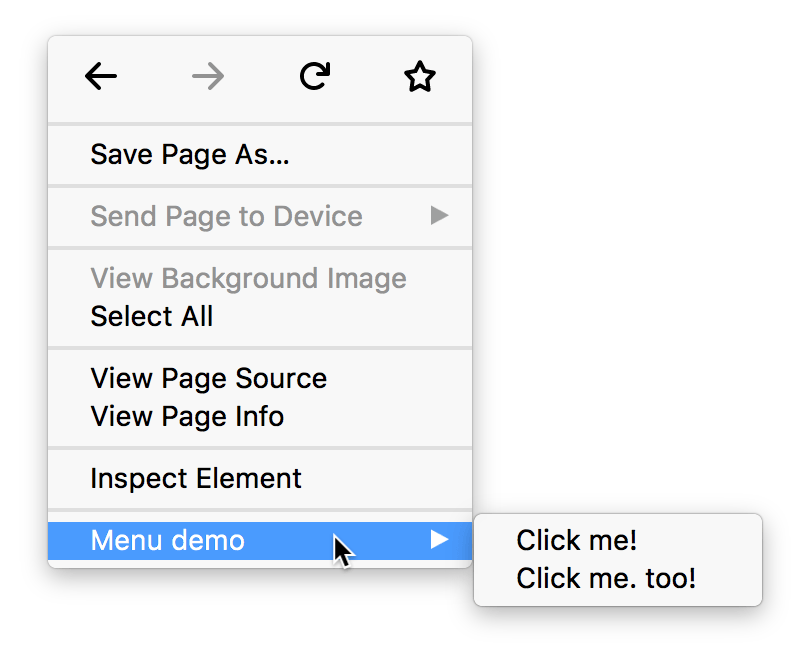
If you have created more than one context menu item or more than one tools menu item, then the items will be placed in a submenu. The submenu's parent will be labeled with the name of the extension. For example, here's an extension called "Menu demo" that's added two context menu items:
Icons
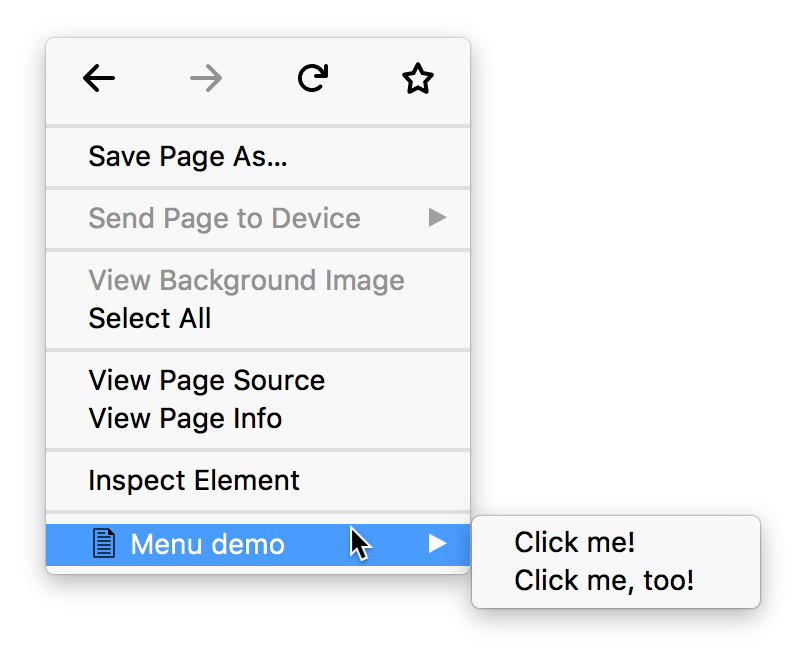
If you've specified icons for your extension using the "icons" manifest key, your menu item will display the specified icon next to its label. The browser will try to choose a 16x16 pixel icon for a normal display or a 32x32 pixel icon for a high-density display:
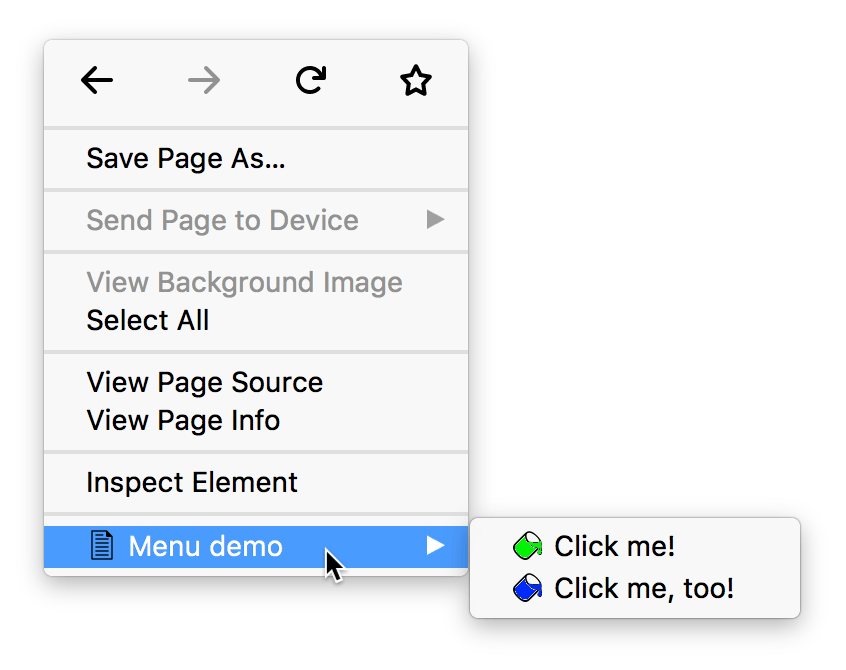
Only for items in a submenu, you can specify custom icons by passing the icons option to menus.create():
Example
Here's a context menu containing 4 items: a normal item, two radio items with separators on each side, and a checkbox. The radio items are given custom icons.
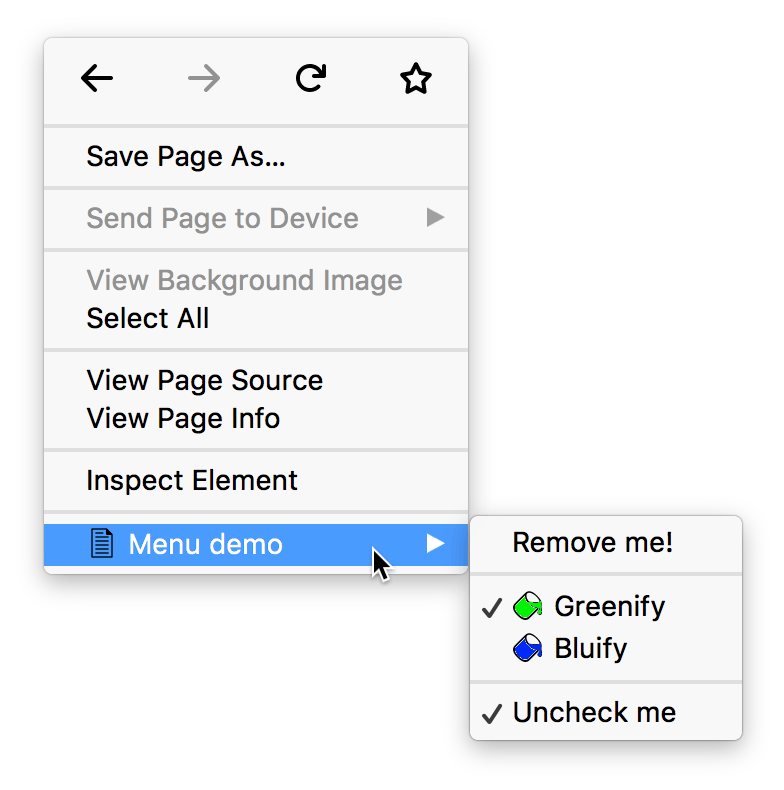
You could create a submenu like this using code like:
browser.menus.create(
  {
    id: "remove-me",
    title: browser.i18n.getMessage("menuItemRemoveMe"),
    contexts: ["all"],
  },
  onCreated,
);

browser.menus.create(
  {
    id: "separator-1",
    type: "separator",
    contexts: ["all"],
  },
  onCreated,
);

browser.menus.create(
  {
    id: "greenify",
    type: "radio",
    title: browser.i18n.getMessage("menuItemGreenify"),
    contexts: ["all"],
    checked: true,
    icons: {
      16: "icons/paint-green-16.png",
      32: "icons/paint-green-32.png",
    },
  },
  onCreated,
);

browser.menus.create(
  {
    id: "bluify",
    type: "radio",
    title: browser.i18n.getMessage("menuItemBluify"),
    contexts: ["all"],
    checked: false,
    icons: {
      16: "icons/paint-blue-16.png",
      32: "icons/paint-blue-32.png",
    },
  },
  onCreated,
);

browser.menus.create(
  {
    id: "separator-2",
    type: "separator",
    contexts: ["all"],
  },
  onCreated,
);

let checkedState = true;

browser.menus.create(
  {
    id: "check-uncheck",
    type: "checkbox",
    title: browser.i18n.getMessage("menuItemUncheckMe"),
    contexts: ["all"],
    checked: checkedState,
  },
  onCreated,
);
Types
-
The different contexts a menu can appear in.
-
The type of menu item: "normal", "checkbox", "radio", "separator".
-
Information sent when a menu item is clicked.
Properties
-
The maximum number of top level extension items that can be added to a menu item whose ContextType is "browser_action" or "page_action".
Functions
-
Creates a new menu item.
-
Returns the element for a given
info.targetElementId. -
Hide all default Firefox menu items in favor of providing a custom context menu UI.
-
Update a menu that's currently being displayed.
-
Removes a menu item.
-
Removes all menu items added by this extension.
-
Updates a previously created menu item.
Events
-
Fired when a menu item is clicked.
-
Fired when the browser hides a menu.
-
Fired when the browser shows a menu.
Example extensions
Browser compatibility
Note:
This API is based on Chromium's chrome.contextMenus API. This documentation is derived from context_menus.json in the Chromium code.